For Mac developers · Join the waitlist
Get back the disk space your dev tools took
Old node_modules, build folders, package caches, Docker images, and simulator runtimes pile up on a developer's Mac. DevSpace finds what's safe to remove and frees it in one click.

Finds
- node_modules
- target
- .venv
- DerivedData
- Pods
- Tool caches
- Homebrew downloads
- Docker images
- Simulator runtimes
- Device support files
- Old Node versions
Free space in one click, with each item explained first
DevSpace shows what each item is, what brings it back, and how much space you get before anything is removed.
- Each tool cleans itself. DevSpace runs
docker image prune,brew cleanup, anduv cache prune. - Project folders go to the Trash, so you can restore them.
- Nothing you used in the last 90 days is selected.
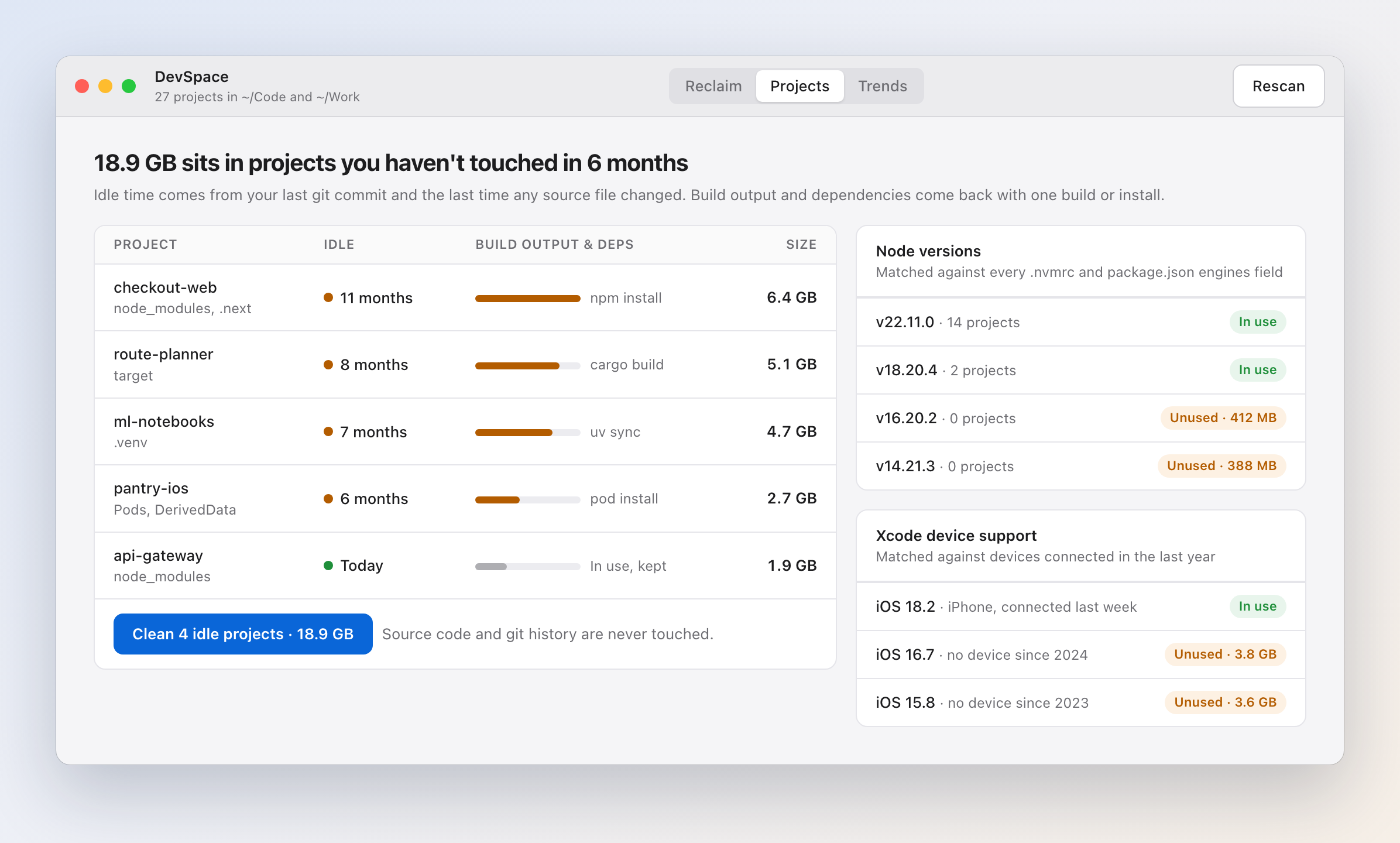
See which projects you've left behind
DevSpace checks your last git commit and the last time any source file changed. A project you haven't touched in six months still holds gigabytes of dependencies you can rebuild with one command.
- Idle projects first, with the command that brings their dependencies back.
- Node versions matched against every
.nvmrcandenginesfield. - Xcode device support for iOS versions no connected device has used in a year.
- Source code and git history are never touched.
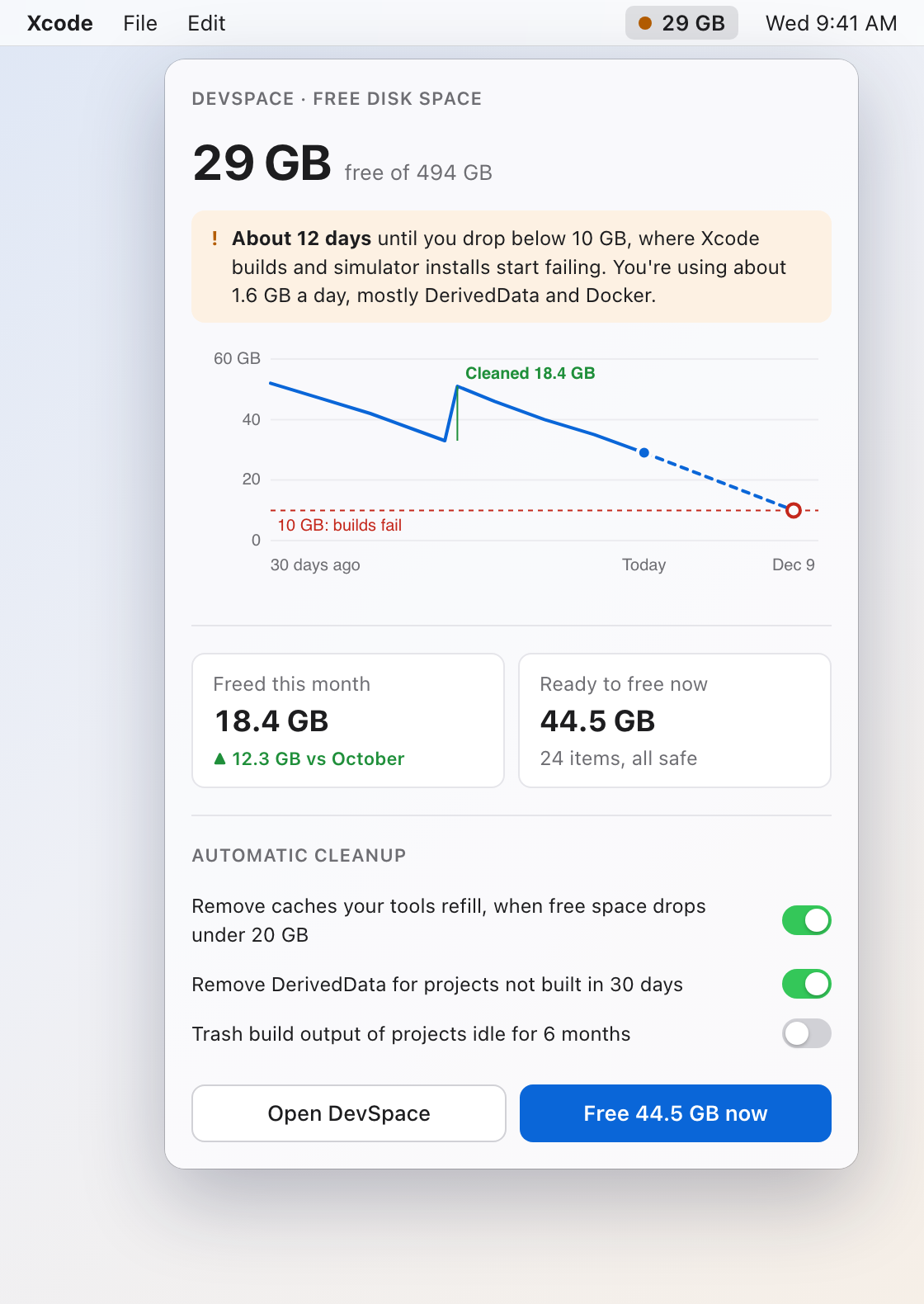
See "disk full" coming before it stops a build
DevSpace lives in your menu bar, tracks how fast your free space is shrinking, and tells you how many days you have left before builds start failing.
- A forecast, based on how much space you use each day.
- Automatic cleanup rules you can switch on or off, such as removing tool caches when free space drops under 20 GB.
- A monthly total of what you freed.
Want it on your Mac?
DevSpace is in development. Leave your email and we'll tell you when you can try it.